

Description
Download EasyBCD – boot manager, dual-boot, startup settings, Windows Vista, system utility
Overview
EasyBCD is a system utility designed to simplify the management of Windows Vista startup settings, particularly for users engaged in dual-boot configurations. The application enables users to configure and customize their boot menu, allowing seamless selection between multiple operating systems installed on separate partitions or storage devices. This includes operating systems such as Linux and Mac OS X, making it a valuable tool for developers, IT professionals, and advanced users who frequently switch between environments. By providing an accessible interface for low-level boot configuration, EasyBCD eliminates the need for complex command-line operations or manual edits to the Boot Configuration Data (BCD) store.
The app is especially relevant in scenarios where users require flexibility in system access, such as testing software across platforms, maintaining legacy systems, or experimenting with alternative operating systems. While the developer did not provide additional technical details about the app’s architecture or background, it is clear that EasyBCD serves as a critical utility within the Windows ecosystem for users managing multi-boot environments. Its primary function—streamlining boot configuration—addresses a common pain point in system administration, particularly for those unfamiliar with advanced boot tools. The app’s focus on usability and accessibility ensures that both novice and experienced users can benefit from its capabilities.
Key Features & Functionality
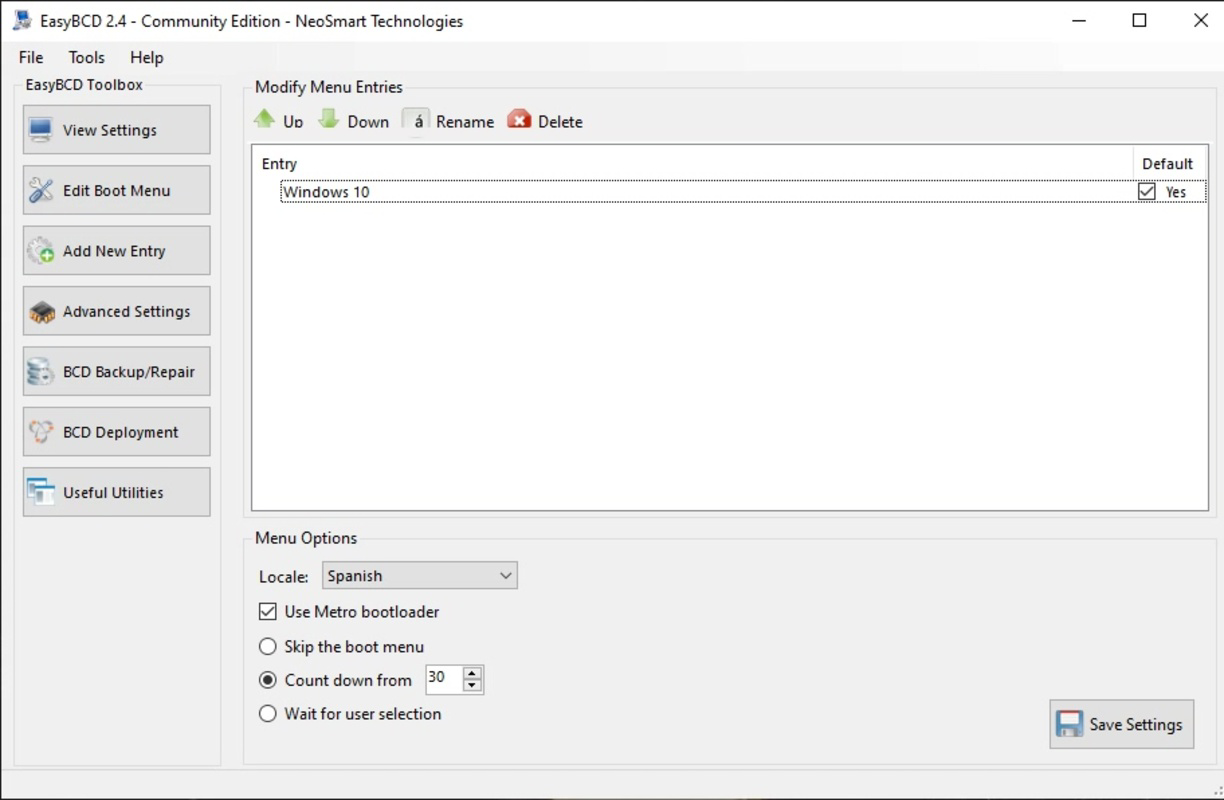
- Boot Menu Customization – Users can define which operating system appears in the boot menu and set the default OS to launch at startup, reducing manual selection time.
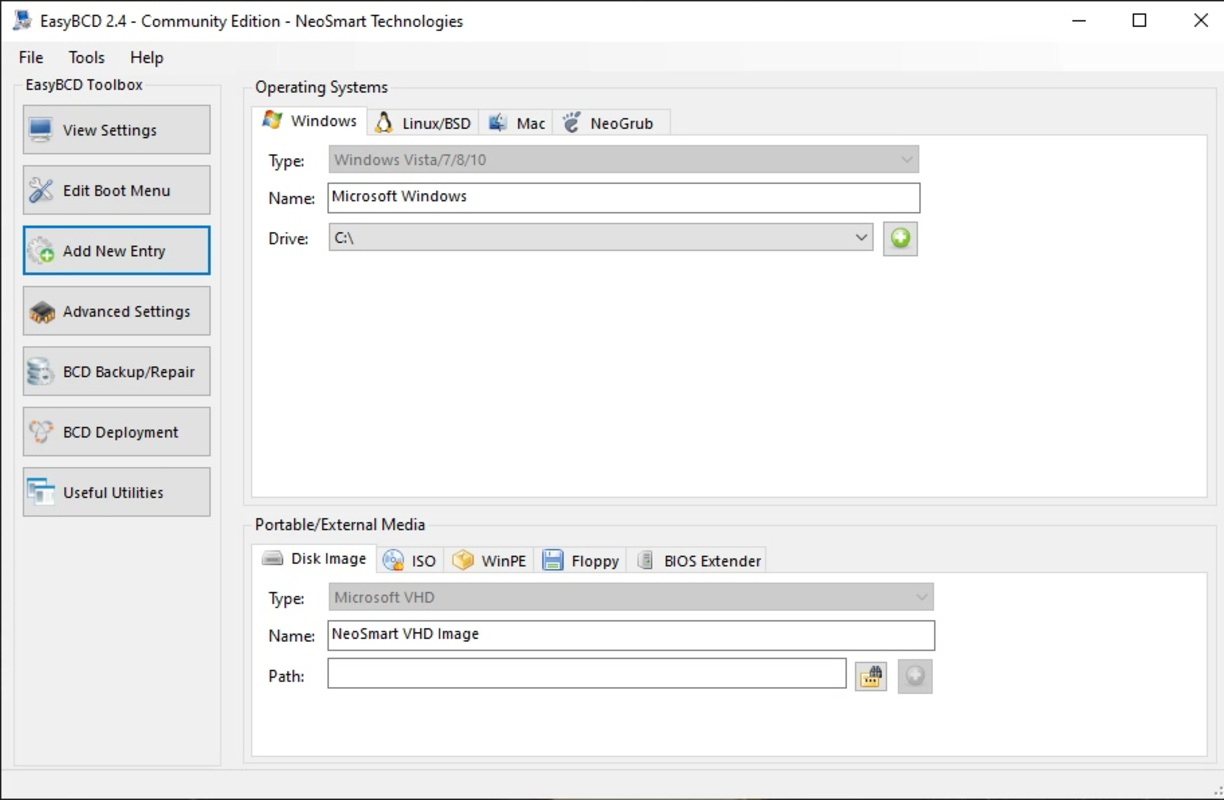
- Dual-Boot Management – Supports configuration for multiple operating systems installed on separate partitions, including Linux and Mac OS X, enabling smooth transitions between environments.
- Startup Timeout Adjustment – Allows users to set the duration the boot menu remains visible, offering flexibility based on user preference or workflow.
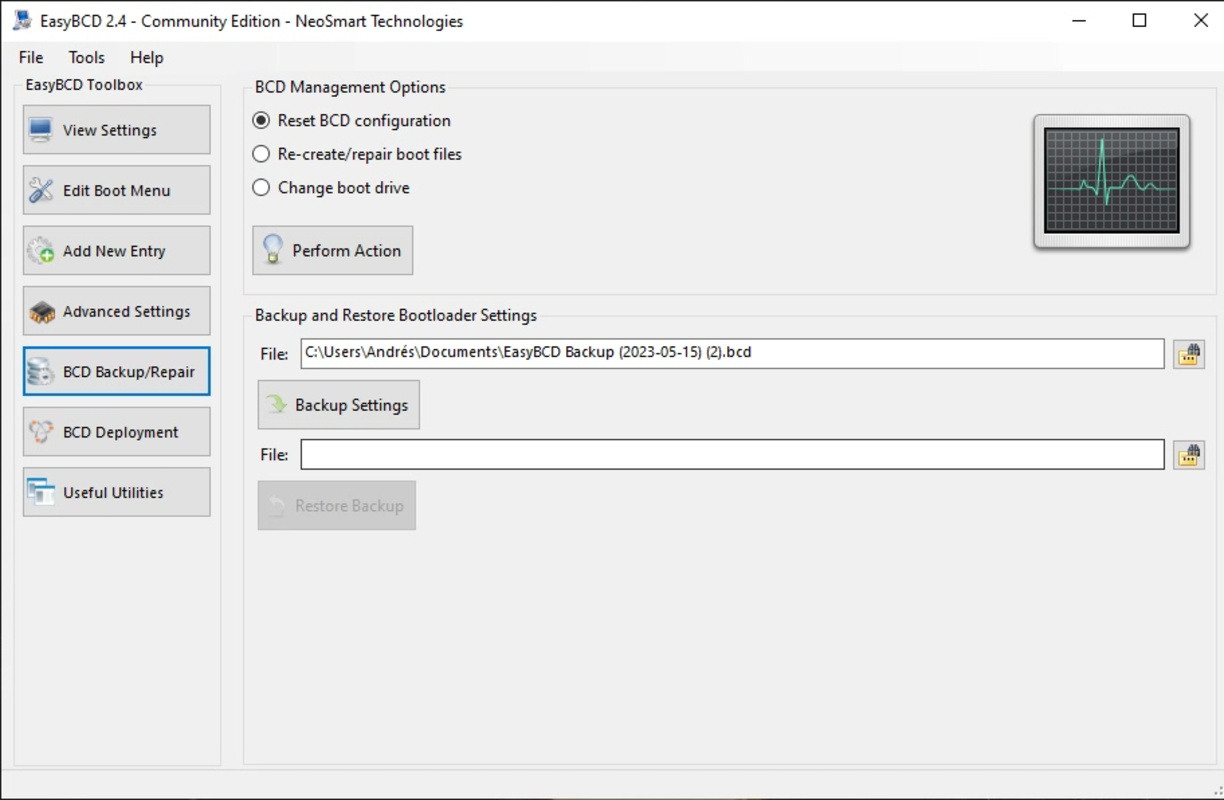
- Backup and Restore – Provides the ability to save current boot configurations and restore previous settings, safeguarding against misconfigurations.
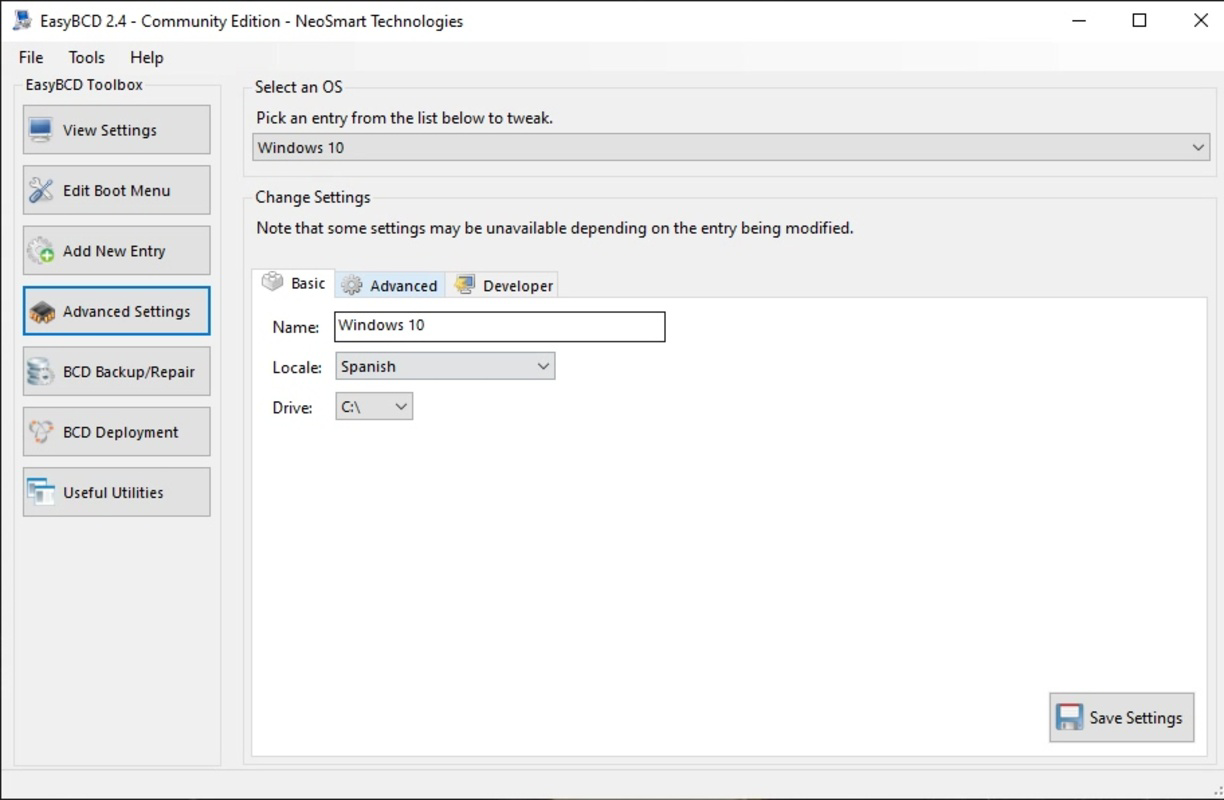
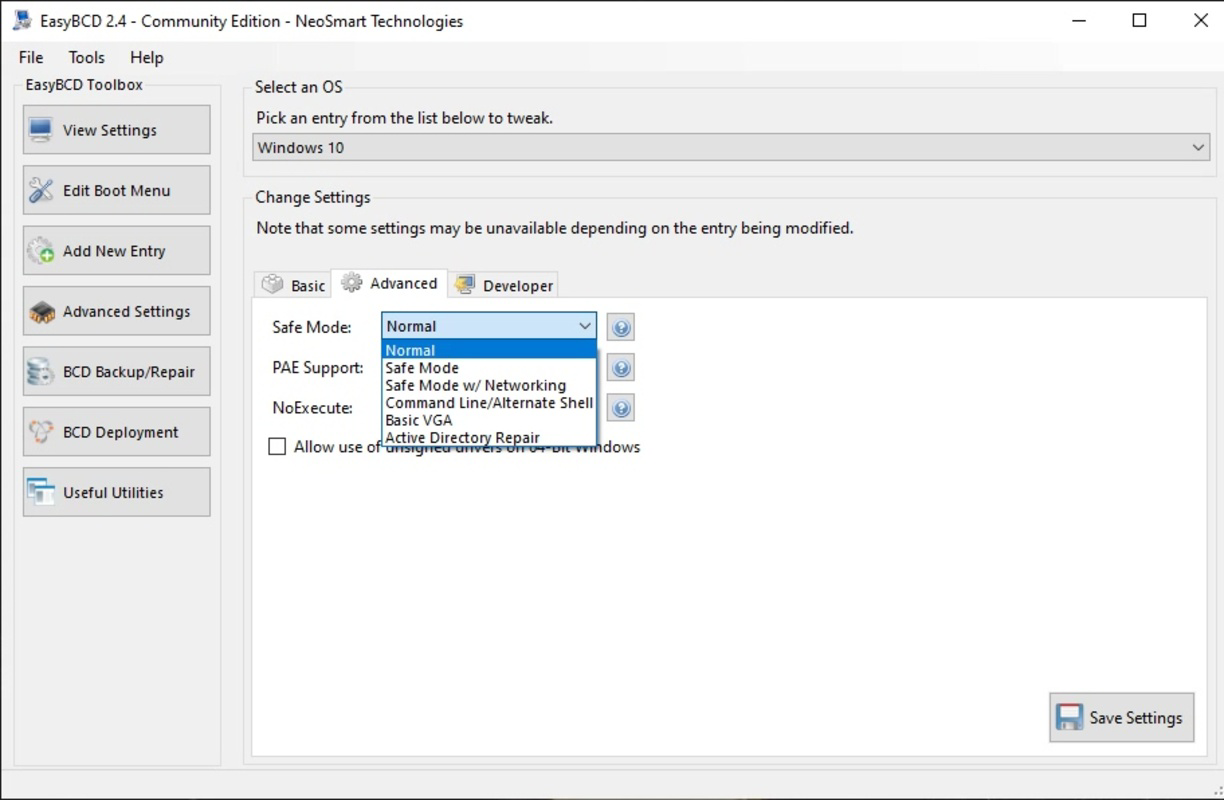
- Advanced Configuration Options – Offers granular control over boot entries, including custom labels, icons, and boot parameters for each OS.
These features are particularly useful in real-world scenarios such as software development, system testing, or educational use where users frequently switch between operating systems. For example, a developer might use EasyBCD to boot into Linux for coding while using Windows for specific tools. The tool also helps prevent boot failures by allowing users to revert to a known working configuration. The logical organization of options ensures that even users with limited technical knowledge can navigate the interface without confusion. Although the developer did not list formal performance metrics, the app’s lightweight nature (3.1 MB) suggests efficient operation without significant system overhead.
Interface, UX & Performance
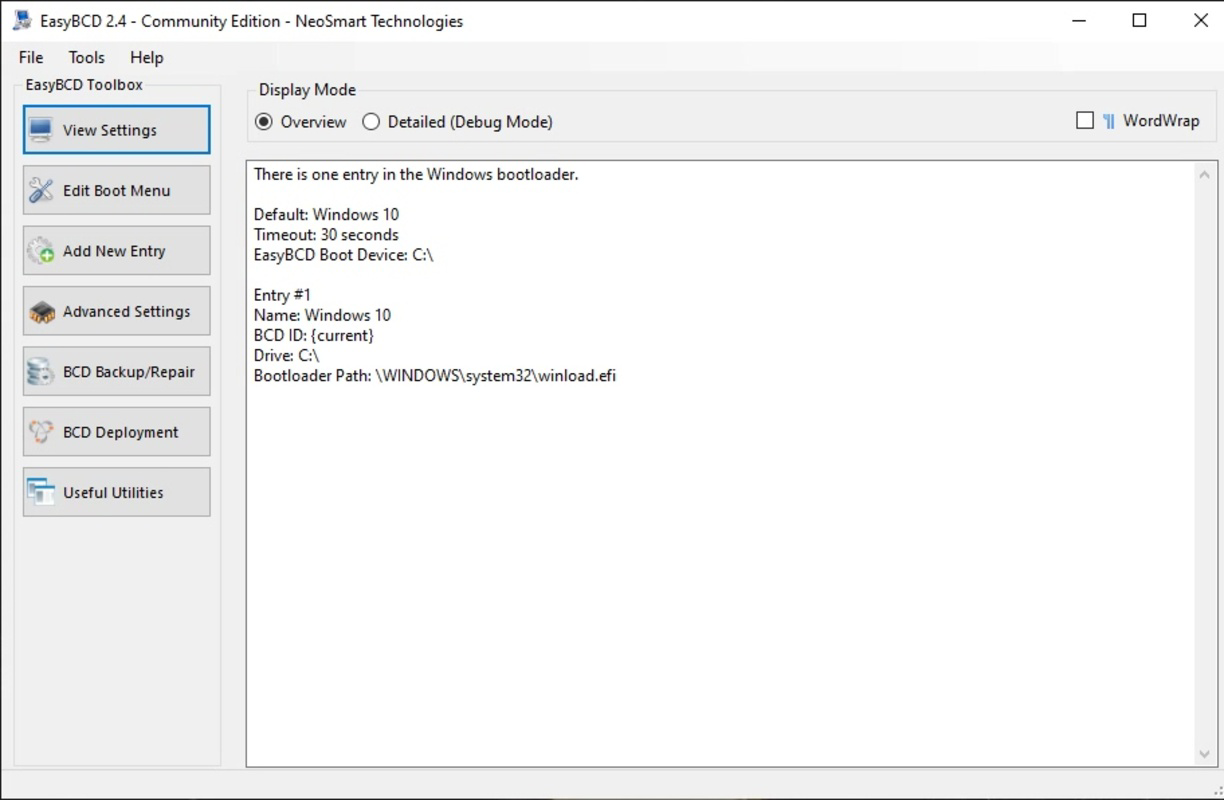
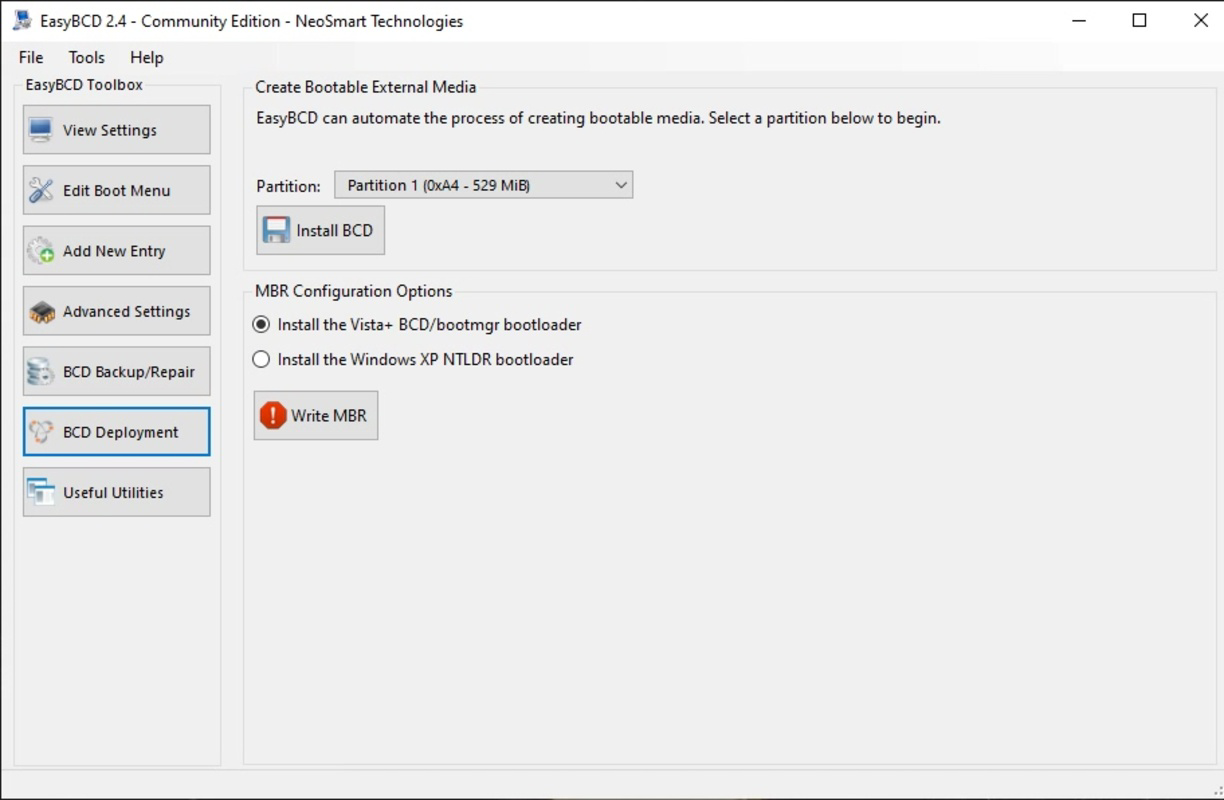
EasyBCD features a clean, straightforward interface that organizes its functions in a logical and intuitive manner. The layout is designed to guide users through the boot configuration process with minimal friction, using clearly labeled tabs and sections. Navigation is consistent across all features, enabling users to access settings, manage boot entries, and perform backups with ease. The visual style is minimalistic, focusing on functionality rather than decorative elements, which enhances usability on a variety of screen sizes and resolutions.
Although the developer did not list formal performance metrics, the app’s small file size (3.1 MB) indicates optimized resource usage. It is expected to operate smoothly on standard Windows systems without causing delays or consuming excessive memory. The application responds promptly to user inputs, and transitions between configuration screens are instantaneous. Stability appears to be a priority, given the inclusion of backup and restore functionality, which mitigates risks associated with configuration errors. Compatibility with different device categories was not fully disclosed, but the lightweight footprint suggests broad support across modern Windows machines. Overall, the user experience is efficient and reliable, particularly for its intended use case.
Platform Compatibility & Technical Requirements
EasyBCD is designed for the Windows platform and is compatible with Windows Vista, the primary target OS for its functionality. The application is available in a 3.1 MB file size, indicating a lightweight installation that requires minimal system resources. The software version is 2.4.0, released on March 15, 2024. Specific requirements such as minimum OS version, processor architecture, or RAM were not listed by the developer.
Compatibility information was not fully disclosed, so users should ensure their system meets general Windows Vista standards before installation. The app does not appear to require additional software or drivers to function. As it is a system utility, it may interact with low-level boot processes, which could affect system stability if misused. However, the inclusion of backup and restore features helps mitigate such risks. The developer did not specify whether the app supports future Windows versions beyond Vista, so users should exercise caution when deploying on newer systems.
Pros and Cons
Pros
- Simple and intuitive interface suitable for both beginners and advanced users
- Free to download and use with no hidden costs
- Efficient management of dual-boot configurations
- Supports backup and restore of boot settings for safety
- Lightweight design with minimal system impact (3.1 MB)
Cons
- Not explicitly compatible with Windows versions beyond Vista
- Developer did not provide detailed technical specifications or system requirements
- May not support newer boot technologies such as UEFI on modern systems
- Limited documentation or in-app guidance beyond basic functionality
- Updates and future development status were not disclosed
FAQ
Is EasyBCD safe to use on my Windows Vista system?
Yes, EasyBCD is designed specifically for Windows Vista and is considered safe when used according to its intended purpose. The application includes backup features to protect against configuration errors, reducing the risk of boot failure.
Can I use EasyBCD to boot Linux and Mac OS X?
Yes, EasyBCD supports dual-boot setups with Linux and Mac OS X, provided these operating systems are installed on separate partitions or drives.
Does EasyBCD require an internet connection to function?
No, the app operates offline and does not require an internet connection once installed. However, updates may require connectivity.
Is EasyBCD available for Windows 10 or Windows 11?
The developer did not specify compatibility with Windows 10 or 11. While it may run on newer systems, there is no guarantee of full functionality, especially with UEFI-based boot systems.
How do I restore my previous boot settings if something goes wrong?
EasyBCD includes a built-in backup and restore feature that allows users to revert to a previously saved configuration, helping recover from misconfigurations.
Final Thoughts
EasyBCD stands out as a reliable and accessible solution for managing boot configurations on Windows Vista systems. Its ability to simplify dual-boot setups makes it an essential tool for users who need to switch between operating systems regularly. The clean interface, combined with powerful yet intuitive features, ensures that users of all skill levels can manage their startup settings with confidence. While the app’s focus on Windows Vista limits its relevance for newer systems, it remains a valuable utility for legacy environments and niche use cases.
For developers, IT administrators, and tech enthusiasts working with multi-boot systems, EasyBCD delivers clear value with zero cost and minimal overhead. The inclusion of backup functionality adds a crucial layer of safety, making it a trustworthy tool in sensitive environments. Despite the lack of detailed technical documentation and limited compatibility information, the app’s proven track record and straightforward design justify its continued use.
Download EasyBCD now
Guides & Tutorials for EasyBCD
How to install EasyBCD
- Click the Preview / Download button above.
- Once redirected, accept the terms and click Install.
- Wait for the EasyBCD download to finish on your device.
How to use EasyBCD
This software is primarily used for its core features described above. Open the app after installation to explore its capabilities.
User Reviews for EasyBCD 0
No reviews found


